
Create, manage and provide digital product passports.
From the physical nameplate to a standard-compliant Asset Administration Shell in minutes. With ID Link, QR code, AASX export and a portal for your customers.

Upload a photo of the nameplate. The AI reads the fields.
Recognised fields, mapped to the Digital Nameplate submodel:
Add documents and images (Handover Documentation):
- Asset Administration Shell (AAS) created and validated
- ID Link assigned per IEC 61406
- QR code ready to print
- AASX package to download
The EU battery passport, including registration and backup
For batteries the obligation is already fixed. The platform delivers the passport, registers it in the EU register and backs it up with an independent provider.
Compliant battery passport
Data model per Regulation (EU) 2023/1542, implemented as an Asset Administration Shell.
EU register
Registration of your passports in the EU's central register, straight from the platform.
Backup service
Backup copy with an independent provider, so the passport stays available even in an outage.
QR code on the product
A unique ID Link that leads straight to the battery passport.
The battery passport becomes mandatory for:
- EV batteries (electric vehicles)
- LMT batteries (e.g. e-bikes, e-scooters)
- Industrial batteries over 2 kWh
In the free account you can view a sample battery passport. Registration and backup run in your own tenant.
Your first digital product passport in four steps
You need neither AAS know-how nor an IT project. An account and a nameplate are enough.
Create an account
Register for free. It takes two minutes.
Photograph the nameplate
The Asset Creator reads manufacturer, type, serial number and other fields with AI.
Add documents
Upload manuals, certificates, spare parts lists and images, structured per VDI 2770.
Share or export
Print the QR code with ID Link, download the AASX or provide the AAS via the API.
Everything for the digital product passport on one platform
From data capture to standard-compliant export to a portal for your customers.
Asset Creator with AI
Photograph the nameplate; the fields are recognised automatically and mapped to the Digital Nameplate.
Documents and images
Add manuals, certificates and spare parts lists and store them as Handover Documentation.
Automatic AAS
The Asset Administration Shell is generated from your input and validated against the IDTA templates.
Upload handover packages
Import finished packages as ZIP or folder in the interface. Limited in the free account; in the tenant also via REST API and in bulk.
Import from ERP export or CSV
A simple, human-readable exchange file is enough. The platform generates the shells from it.
Type and instance templates
Maintain type data once, derive instances per serial number automatically.
ID Link per IEC 61406
A unique link between the physical device and its digital twin, printable as a QR code.
IDTA submodels
Digital Nameplate, Handover Documentation and Technical Data per the official templates.
AASX export
Standardised packages (AAS type 1) for file exchange with your customers.
AAS REST API
Machine-readable access (AAS type 2) for your customers' systems.
SAP BNAC interface
Hand asset data straight to your customers' SAP Business Network Asset Collaboration.
VDI 2770 packages
Manufacturer documentation as VDI 2770 containers for handover to plant operators.
User management for your customers
Invite customers, assign rights and control who sees which assets.
Customer-specific asset lists
Each customer sees exactly the devices they got from you.
Your own look & feel
A portal in your corporate design, under your domain, multilingual (DE, EN, FR).
Product search and QR scan
Find assets by serial number or scan the QR code directly with the camera.
Contact to sales and support
Your customers reach you straight from the asset, with the device attached.
Current data instead of sending PDFs
Maintain new firmware or changed documents once; your customers see the latest state at once.
Compliant EU battery passport
Battery passport per Regulation (EU) 2023/1542 for EV, LMT and industrial batteries. Learn more
Registration in the EU register
Your passports are registered in the central EU register, without your own connection.
Backup service
A backup copy of your product passports with an independent provider, as the regulation requires.
EU DPP per ESPR
The data basis for upcoming product groups of the Ecodesign Regulation is already in place.
Digital operating manual
Documentation permanently available digitally, as the basis for the Machinery Regulation's requirements.
Sample battery passport
In the free account you can view a complete sample battery passport.
You maintain the data. Your customers find it.
As a manufacturer you manage assets, customers and rights. Your customers see a clear portal with exactly their devices.
Management
- Create, import and update assets
- Manage customers and users
- Upload handover packages via UI or REST API
- Interfaces to customer systems (AAS API, SAP BNAC)
| Customer | Users | Assets | Status |
|---|---|---|---|
| Chemiepark Nord GmbH | 4 | 312 | active |
| Stadtwerke Beispielstadt | 2 | 58 | active |
| Anlagenbau Muster AG | 1 | 17 | invited |
| Servicepartner Süd | 3 | 140 | active |
Portal
- Customer-specific asset list
- Nameplate, technical data and documents per device
- Multilingual, search by serial number or QR code
- Direct contact to sales and support
Your data stays where it is
Start with simple files and automate later. The platform takes the data from your existing sources and passes it on to your customers in standard form.
- File-based importUpload handover packages as ZIP or folder by drag & drop, plus ERP exports as CSV or Excel. No interface project needed.
- ConnectorsFor automatic transfer from ERP, MES, databases or web CMS
- On-premise preprocessingSensitive data leaves your network only the way you decide
- Hosting of your choiceAt Codewerk or in your own environment
- AAS & ID Links
- Portal & users
- Battery passport
- EU register & backup
Start for free. Go live with your own tenant.
With the free account you test the platform on your own assets. For production use we set up your own tenant.
Free account
- Create your own assets, enough to try it out
- Asset Creator with AI nameplate recognition
- Upload handover packages (limited)
- AAS, ID Link and QR code
- AASX export
- View the sample battery passport
- No own branding, no customer management
Your own tenant
- Portal in your look & feel, under your domain
- User management for your customers
- Import from ERP, CSV and other sources
- AAS REST API and SAP BNAC interface
- Battery passport with EU register and backup service
- Hosting at Codewerk or in your environment
This is what a digital product passport looks like
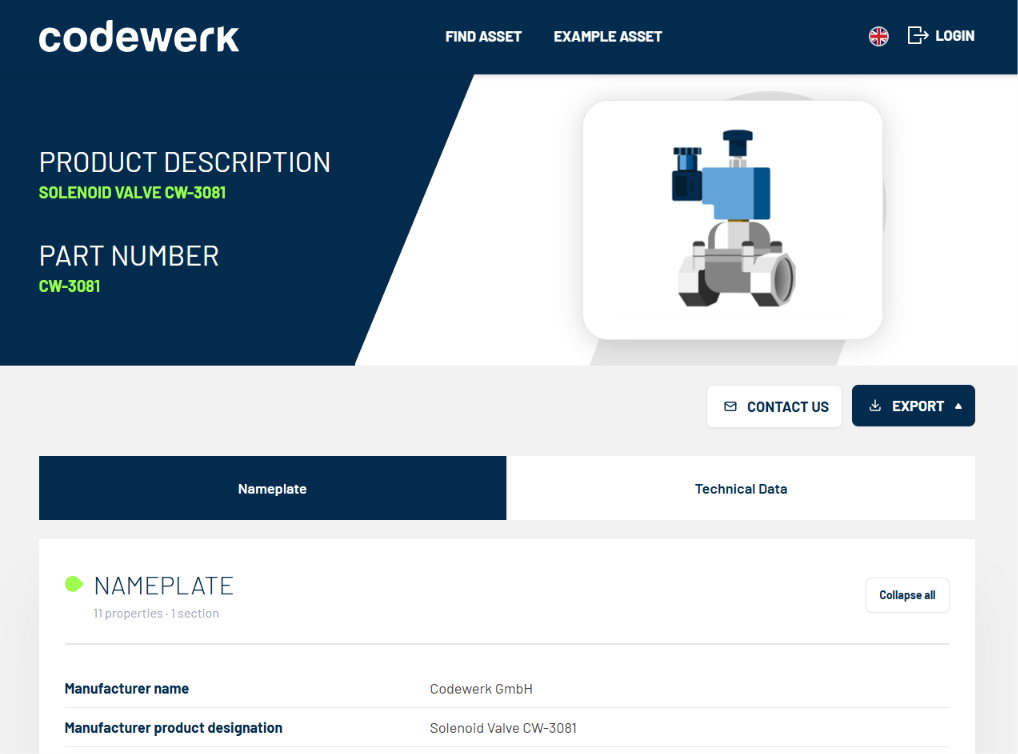
Solenoid valve CW-3081
Nameplate, technical data and documents of a sample device.
Open →Industrial battery
A complete battery passport with all mandatory information.
Open →Michael Koch GmbH
Digital nameplate for braking energy recovery, filled straight from production.
typeplate.bremsenergie.de →Looking for a partner to implement it?
Depending on where you start, our website has the right entry point.
DPP platform
You want to introduce the digital product passport for your products, for regulation and customers.
- Three-phase project model
- Battery passport and ESPR
- Funding and initial consultation
Meet your customers' requirements
Your customer in the process industry asks you for ID Links and AASX files.
- Supplier requirements per DDCC
- Digital Nameplate and Handover Documentation
- From Excel to the Asset Administration Shell
Frequently asked questions
Your first digital product passport in minutes
Register and create your first asset.